TLDR
- Headless CMS separates content from presentation, delivering via APIs to any channel; WordPress bundles both together
- Headless CMS excels in performance, flexibility, and omnichannel delivery; WordPress wins on ease of use and faster time-to-market
- WordPress is the faster path for smaller sites with lean teams; headless CMS is built for high-traffic, multi-channel operations
- Headless CMS requires upfront developer investment but lowers long-term maintenance costs; WordPress launches fast but accumulates plugin, hosting, and dev costs at scale
- Your decision comes down to traffic volume, team capacity, and where you need to be in 3 years
Headless CMS vs WordPress: Quick Comparison
| Dimension | Headless CMS | WordPress |
|---|---|---|
| Architecture | API-first, decoupled backend and frontend | Monolithic, tightly coupled PHP/MySQL stack |
| Frontend Flexibility | Complete freedom (React, Next.js, Vue, Astro) | Limited to PHP themes; headless mode available |
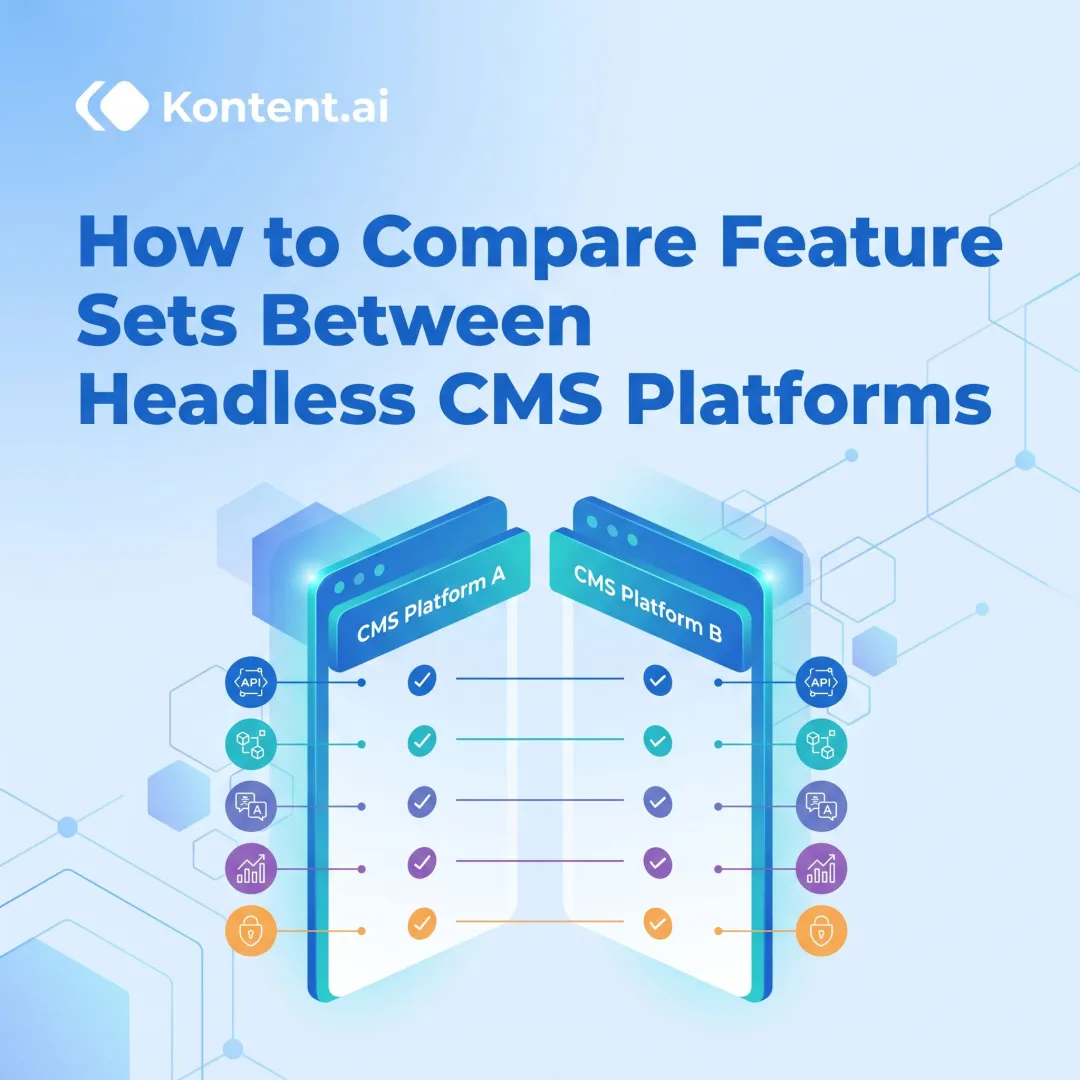
| Performance/Core Web Vitals | Superior — CDN-backed static delivery; 98% CWV pass rates possible | Poor at scale — only 40% mobile sites pass CWV |
| SEO Capabilities | Excellent when paired with modern frameworks | Good but degrades with plugins and traffic |
| Security | Reduced attack surface; decoupled infrastructure | 7,966 annual vulnerabilities (96% in plugins) |
| Scalability | Excellent — handles traffic spikes via CDN | Degrades under load; requires heavy caching |
| Plugin Dependency | Minimal — custom solutions or platform bundles | High — 60,000+ plugins but adds overhead |
| Omnichannel Support | Native — API delivers to web, apps, IoT, AI | Weak — requires custom development |
| Ease of Use for Editors | Clean interface once set up | Familiar WYSIWYG; minimal learning curve |
| Total Cost of Ownership | Higher upfront, lower long-term maintenance | Lower upfront, higher ongoing costs at scale |
| Best Fit | High-traffic publishers, enterprise, multi-channel brands | Small-to-mid sites, limited technical teams |
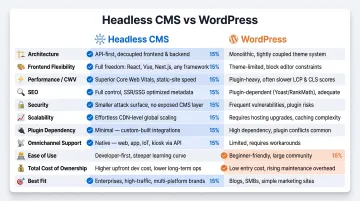
Neither platform wins universally. The right choice depends on your team's technical capacity, traffic volume, and how many channels you need to serve.
What is a Headless CMS?
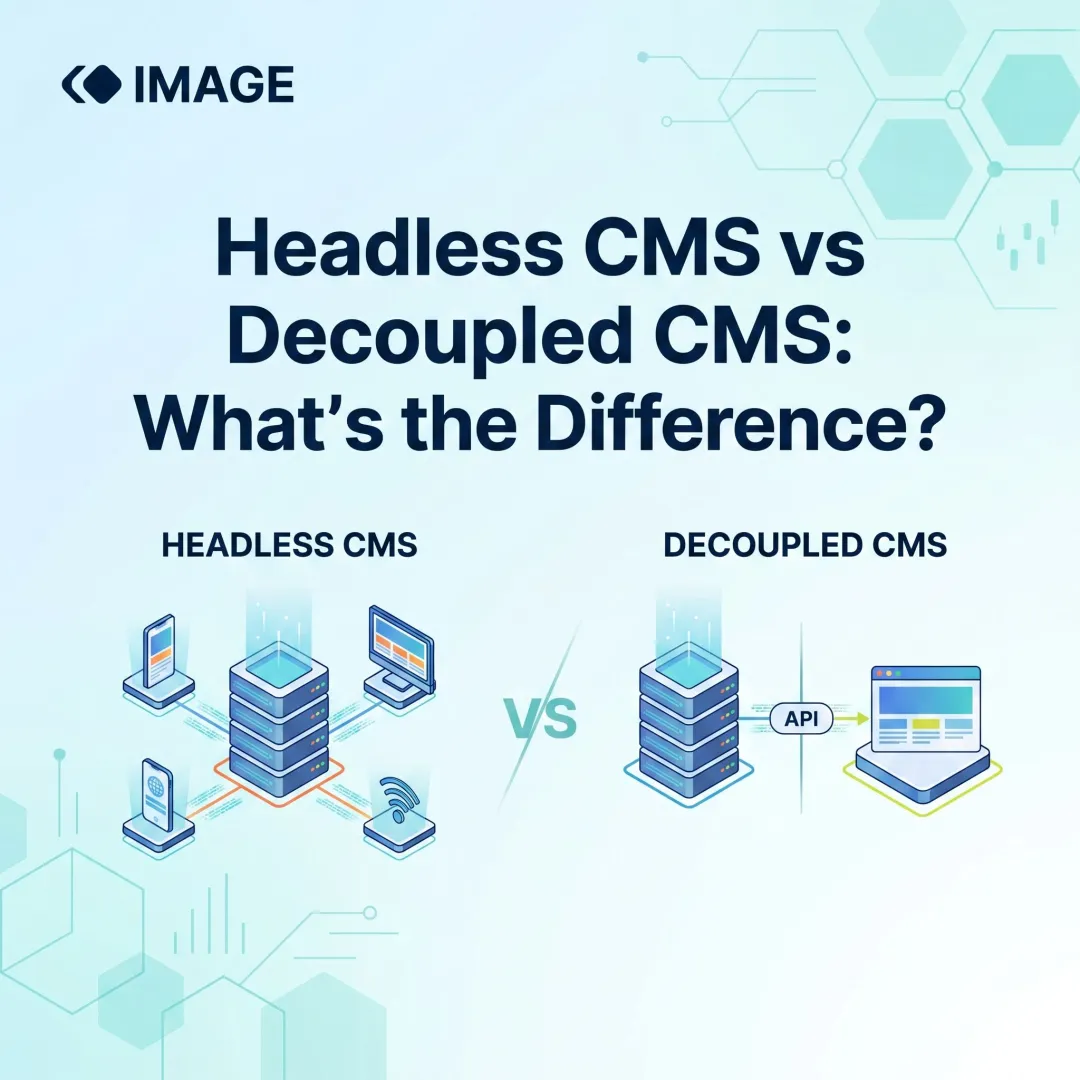
A headless CMS separates the content backend (where content is created and stored) from the presentation layer (how it's displayed). Instead of generating HTML pages directly, it delivers content through APIs to any frontend — websites, mobile apps, digital signage, voice assistants, or IoT devices.
The architectural difference from traditional CMS is fundamental: no PHP templates, no theme-frontend coupling. Developers choose their own stack (Next.js, React, Astro, Vue) while editors work in a content-focused interface. Forrester defines headless CMS as content management technologies taking an "API-first approach," decoupling storage from presentation.
Key Advantages of a Headless CMS
Performance and Core Web Vitals
Headless CMS setups paired with modern frameworks pre-render pages as static assets served via CDN, eliminating server-side rendering bottlenecks — and the performance gap is significant.
According to the HTTP Archive Web Almanac 2024, only 40% of WordPress mobile sites pass all Core Web Vitals — the lowest among top 10 CMS platforms and well below the 63.4% global benchmark. Headless architectures routinely achieve 90%+ pass rates.
Smashing Magazine's migration from WordPress to Jamstack demonstrates this ceiling. Their TTFB dropped from 800ms to 80ms — a 10x improvement — while achieving a perfect 100/100 Lighthouse score. They now generate 10,000+ pages in 22 seconds during builds, with near-zero server maintenance.
Purpose-built headless platforms amplify these gains. Platforms like Publive — designed specifically for publishers — report that **98% of sites on their platform pass Core Web Vitals**, the highest among leading digital experience platforms.
Omnichannel and AI-Search Readiness
Because headless CMS delivers content as structured data via APIs, it distributes to any channel consistently — websites, mobile apps, AMP, voice platforms, and emerging AI search surfaces. Storyblok's State of CMS 2025 found that 61% of teams use more than one CMS to manage content, with 44% citing omnichannel experience requirements as the primary driver. Headless architecture solves this fragmentation by establishing one source of truth.
Structured API-first content is also inherently more parseable by AI crawlers than HTML blobs from monolithic systems. Google Search Central confirms that AI Overviews help users grasp complex topics quickly, and WP Engine notes that "consistent, well-structured data allows AI models to quickly verify your information against known facts in the Google Knowledge Graph."
Al Jazeera demonstrates this in practice, using decoupled WordPress to deliver content simultaneously to responsive websites, iOS/Android apps, and connected TV platforms from a single backend.
Security and Reduced Attack Surface
Decoupled architecture means no direct database exposure to the public-facing frontend. CrafterCMS explains that authoring and delivery systems sit on separate infrastructure with "no physical connection," eliminating shared-database vulnerabilities common in monolithic PHP systems.
Fewer plugin dependencies also mean fewer vulnerability vectors, which matters especially for BFSI institutions and healthcare organisations handling sensitive content.
Limitations to Keep in Mind
Higher Upfront Complexity and Developer Dependency
Setting up a headless CMS requires frontend development resources and real upfront investment. WordPress VIP reports that some organisations need 2-3 additional developers to maintain equivalent functionality when adopting headless architecture. Content editors may also face a learning curve without WYSIWYG previewing unless the platform provides built-in preview tooling.
Implementation costs vary, but the main drivers are:
- Frontend development built from scratch
- Specialised JavaScript framework expertise
- API orchestration complexity
- Dual hosting requirements
Lack of Out-of-the-Box Features
Unlike WordPress's 60,000+ plugin ecosystem, headless CMS platforms require custom or third-party solutions for SEO tooling, analytics, push notifications, and social distribution.
However, enterprise headless platforms increasingly bundle these capabilities natively. Platforms like Publive consolidate analytics, push notifications, social distribution, and AI content tools into a unified system, reducing the need to stitch together separate vendors.
What is WordPress?
WordPress is an open-source monolithic CMS launched in 2003, combining content management, frontend templating, and plugin-based functionality in a single PHP-based platform. According to W3Techs (May 2026), WordPress powers 42.2% of all websites globally and 59.6% of sites whose CMS is known.
Content is stored in a MySQL database, pages are dynamically rendered server-side using PHP themes, and functionality is extended via plugins — over 60,000 available in the WordPress Plugin Directory.
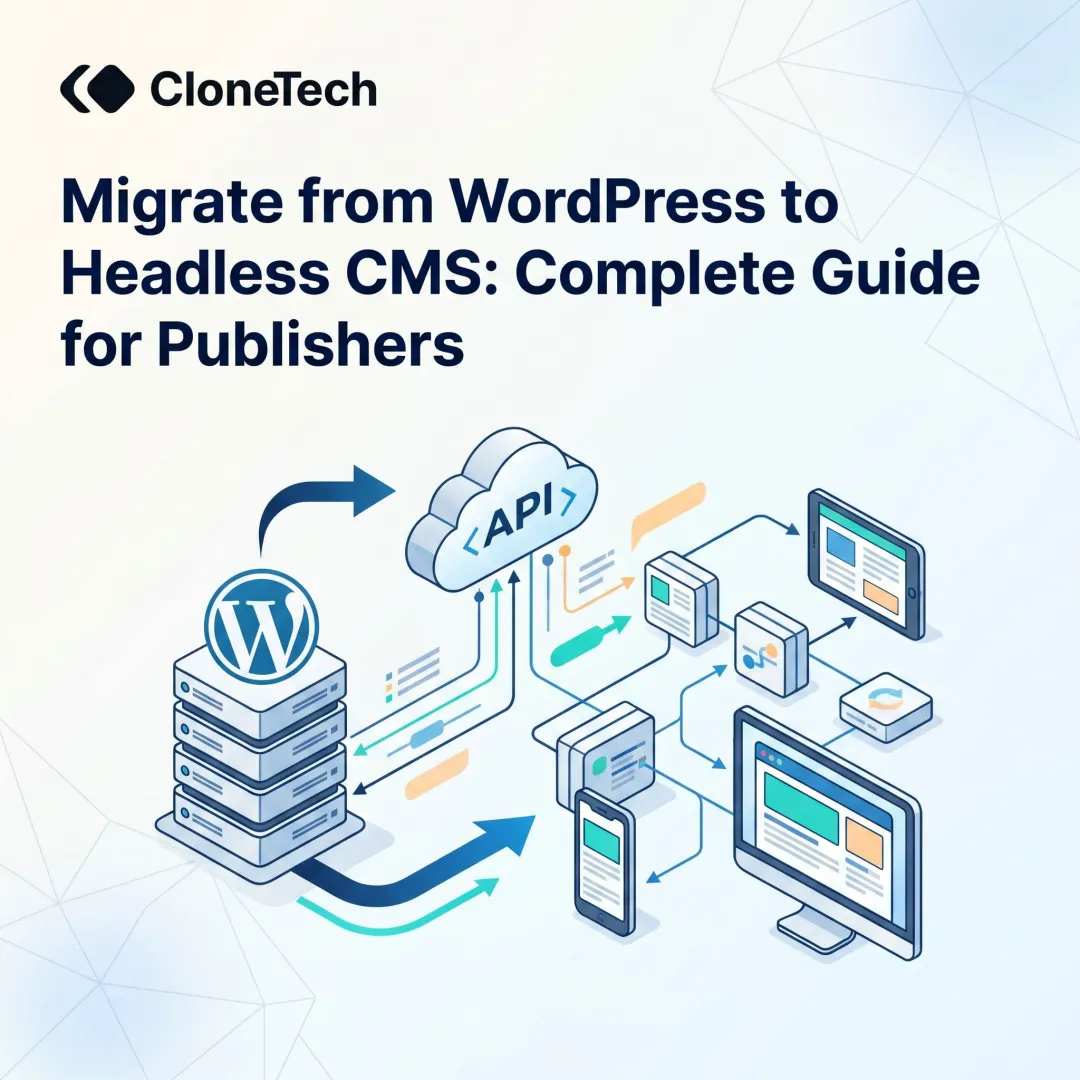
WordPress also offers a "headless" mode via the REST API and WPGraphQL, allowing decoupled frontend development. However, this still runs a full PHP stack on the backend, so the maintenance burden doesn't disappear. Pantheon notes that headless WordPress adds "operational concerns" around APIs, caching, and environment management on top of standard backend maintenance.
Key Advantages of WordPress
For straightforward publishing needs, WordPress has a well-earned reputation:
- Beginner-friendly WYSIWYG editor lets non-technical teams publish without developer support
- Built-in media management and 60,000+ plugins cover most common site requirements
- Pre-built themes allow quick launches for blogs, portfolios, and simple business sites
- Free core software with widely available low-cost hosting keeps initial spend low
- Lower short-term cost of ownership compared to headless setups that require custom frontend development
Where WordPress Falls Short
These advantages come with trade-offs that become harder to ignore as a site grows.
Performance at scale is the first friction point. Each page load triggers server-side database queries and dynamic HTML generation. As content volume increases and plugins accumulate, load times and Core Web Vitals scores tend to slip.
Search Engine Journal's analysis of CrUX data corroborates that WordPress achieves only 38% good Core Web Vitals scores versus 71% for Duda and 60% for Squarespace. Among legacy CMS users surveyed by Storyblok, 49% report it takes over an hour to publish content, and 14% report delays of a full day or more.
Security Vulnerabilities from Plugin Dependency
Patchstack's State of WordPress Security 2025 puts the plugin risk in sharp relief:
- 7,966 new vulnerabilities found in 2024 — a 34% increase over 2023
- An average of 22 new vulnerabilities published daily
- 96% in plugins, 4% in themes, only 7 in WordPress core
- 33% were unpatched at disclosure
- 43% required no authentication to exploit
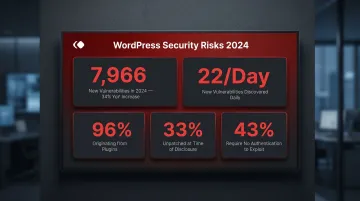
Because WordPress powers a disproportionate share of the web, it's a high-value target for automated attacks — particularly relevant for media brands and financial publishers where uptime and data integrity are critical. That context matters when evaluating whether a headless architecture — which eliminates the plugin surface entirely — is worth the trade-offs in setup complexity.
Headless CMS vs WordPress: Which Should You Choose?
Your decision hinges on four factors:
- Traffic volume and performance expectations
- Team structure (technical vs non-technical)
- Content distribution needs (single website vs multi-channel)
- Long-term scalability goals vs short-term speed to launch
Choose a Headless CMS if…
You run a high-traffic, content-heavy operation
Media houses, news publishers, or enterprise brands publishing dozens to hundreds of articles per day face direct revenue impact from slow load times. Poor performance drives up bounce rates, reduces ad revenue, and damages SEO rankings.
Your content needs to reach multiple channels at once
Distributing to a website, mobile app, AMP, push notifications, social syndication, and AI search surfaces simultaneously requires one authoritative content source. Headless architecture handles this natively — no duplication, no inconsistency.
You're building for a 3-5 year horizon
Headless CMS sidesteps the technical debt that accumulates with plugin stacking, recurring security patches, and PHP version conflicts. The architecture stays cleaner and easier to maintain as your team and content volume grow.
Choose WordPress if…
Your site is small-to-mid-sized and your team has no dedicated frontend developer
Blogs, corporate brochure sites, and content platforms at modest scale benefit from WordPress's ease and speed. Performance limitations matter less here — and the pre-built ecosystem means you can launch quickly without significant upfront development cost.
A Publisher's Real-World Lens
The framework above becomes clearer with a concrete example. High-volume media publishers regularly hit WordPress performance walls once article archives scale past tens of thousands of posts. Database queries slow, caching becomes complex, and traffic spikes during breaking news or elections can crash the site.
The switch to headless CMS enables:
- Faster page loads — static content served from CDN edge nodes
- Stable uptime during traffic spikes — no database bottleneck
- AI-ready structured content — APIs deliver parseable data to emerging search surfaces
Among companies that migrated to headless CMS, Storyblok found that 69% reported improved time-to-market and productivity, 58% reported better site performance, 50% reported stronger security, and 41% reported measurable ROI increase.
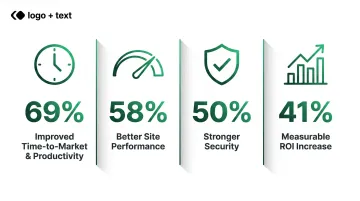
For media and publishing organisations evaluating this transition, purpose-built platforms like Publive — trusted by Indian Express, News Nation, and Kanak News — offer a headless-first CMS with built-in AI content tools, enterprise-grade analytics, and a 99.995% uptime SLA, replacing separate CMS, hosting, and analytics vendors with a single platform.
Conclusion
WordPress remains a practical choice for simpler websites with limited technical resources. Headless CMS is the better long-term investment for organisations that prioritise performance, scalability, and omnichannel content delivery — particularly in media, publishing, and enterprise contexts.
If your team publishes at volume, serves audiences across multiple platforms, or operates in a regulated sector like BFSI, the flexibility of a headless architecture will matter sooner than you expect. For everyone else, WordPress still gets the job done — until it doesn't.
Frequently Asked Questions
How does headless WordPress differ from traditional WordPress?
Traditional WordPress handles both content management and frontend rendering through PHP themes. Headless WordPress keeps the same backend but delivers content via the REST API or WPGraphQL to a separate frontend. The PHP/MySQL stack still requires the same maintenance and security overhead — flexibility improves, but the backend burden does not.
Is a headless CMS better for SEO than WordPress?
Headless CMS, when paired with modern frameworks like Next.js, achieves superior Core Web Vitals scores and faster load times — both key Google ranking factors. WordPress can be optimised with plugins but often struggles to match headless performance at scale, particularly for content-heavy sites.
Can I migrate from WordPress to a headless CMS without losing my content?
Yes. WordPress content can typically be exported and imported into a headless CMS, but the process requires mapping content types, rebuilding frontend templates, and setting up redirects to preserve SEO equity. Timelines range from a few weeks to several months depending on site complexity.
Is a headless CMS too complex for non-technical content teams?
Modern headless CMS platforms are designed with clean, editor-friendly interfaces that don't require technical knowledge for day-to-day content management. The technical lift lives in initial setup and frontend development — not in routine publishing.
Which CMS is better for high-traffic media and publishing websites?
For high-traffic publishing, headless CMS is the stronger choice. CDN-backed content delivery and a decoupled frontend mean you can optimise performance independently — resulting in more stable load times during traffic spikes and a cleaner path to long-term growth.
What are the hidden costs of staying on WordPress vs switching to a headless CMS?
WordPress hidden costs add up quickly: plugin management, security patches, performance tools, and hosting upgrades as traffic grows. Headless CMS carries higher upfront development costs but lower ongoing maintenance — and a more predictable cost structure as your operation scales.