This tension is architectural, not accidental. Wix excels at getting sites online fast, but its coupled design wasn't built for scaled content operations. As teams add channels, contributors, and pages, the platform's limitations surface quickly: bottlenecked workflows, SEO plateaus, and performance ceilings that no amount of tweaking can fix.
This guide covers the specific warning signs you've outgrown Wix, what a headless CMS actually solves, and how to migrate without losing rankings or content.
TLDR
- Wix's coupled architecture caps performance and customisation as your content operations grow
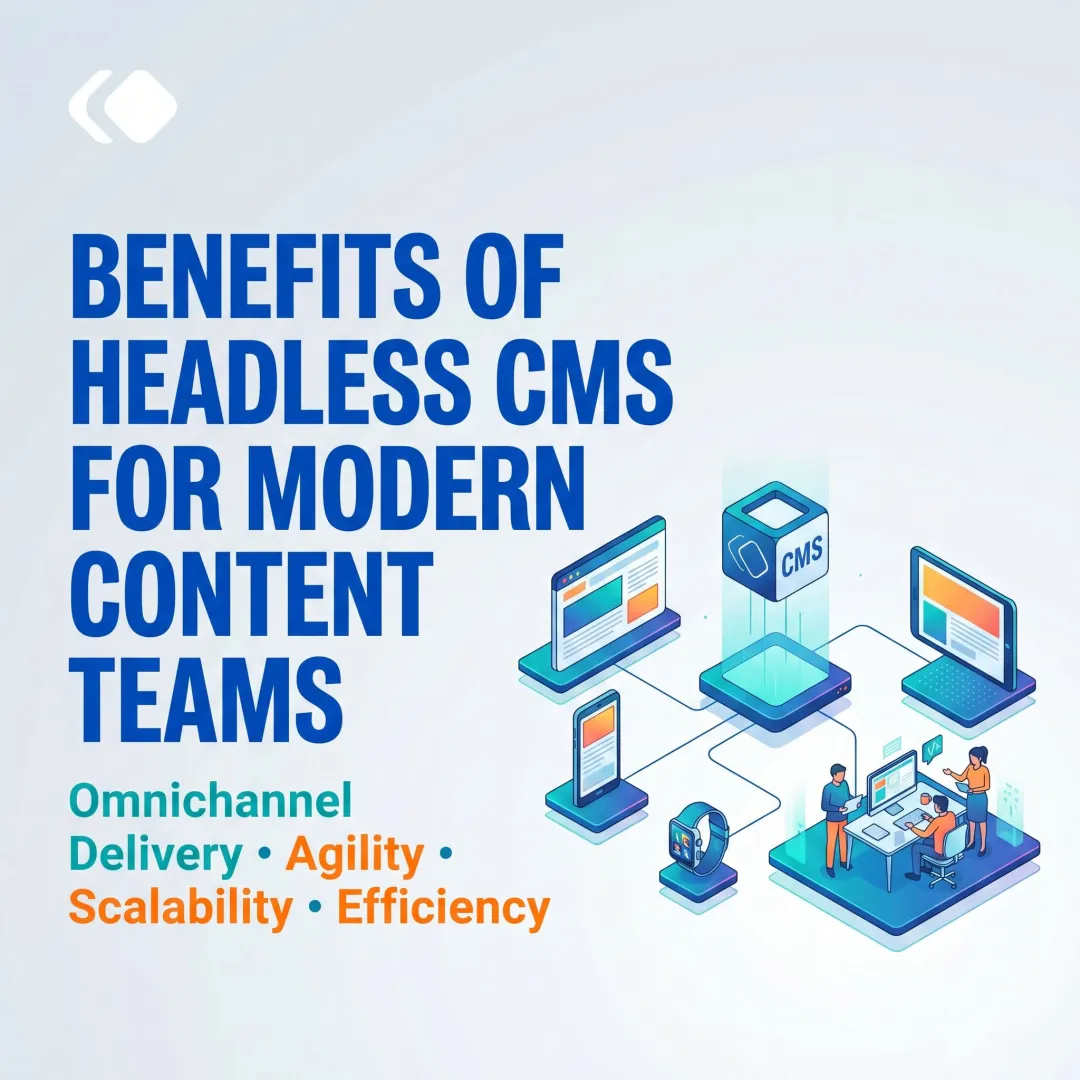
- Headless CMS separates content from presentation, enabling API-driven publishing to any channel from a single backend
- Migrate when you see: failing Core Web Vitals, SEO plateau, multi-channel bottlenecks, editorial workflow constraints, or mounting developer workarounds
- Migration involves a content audit, URL mapping with 301 redirects, and data transformation
- Choose a CMS built for your team size and content type — not a generic tool you'll outgrow again
Why Wix Works — Until It Doesn't
Wix genuinely delivers for early-stage websites. For solo entrepreneurs and small teams prioritising speed over scale, three things make it work:
- Drag-and-drop editor that removes code barriers entirely
- Built-in hosting and security with no infrastructure setup
- Affordable entry pricing that makes professional sites accessible
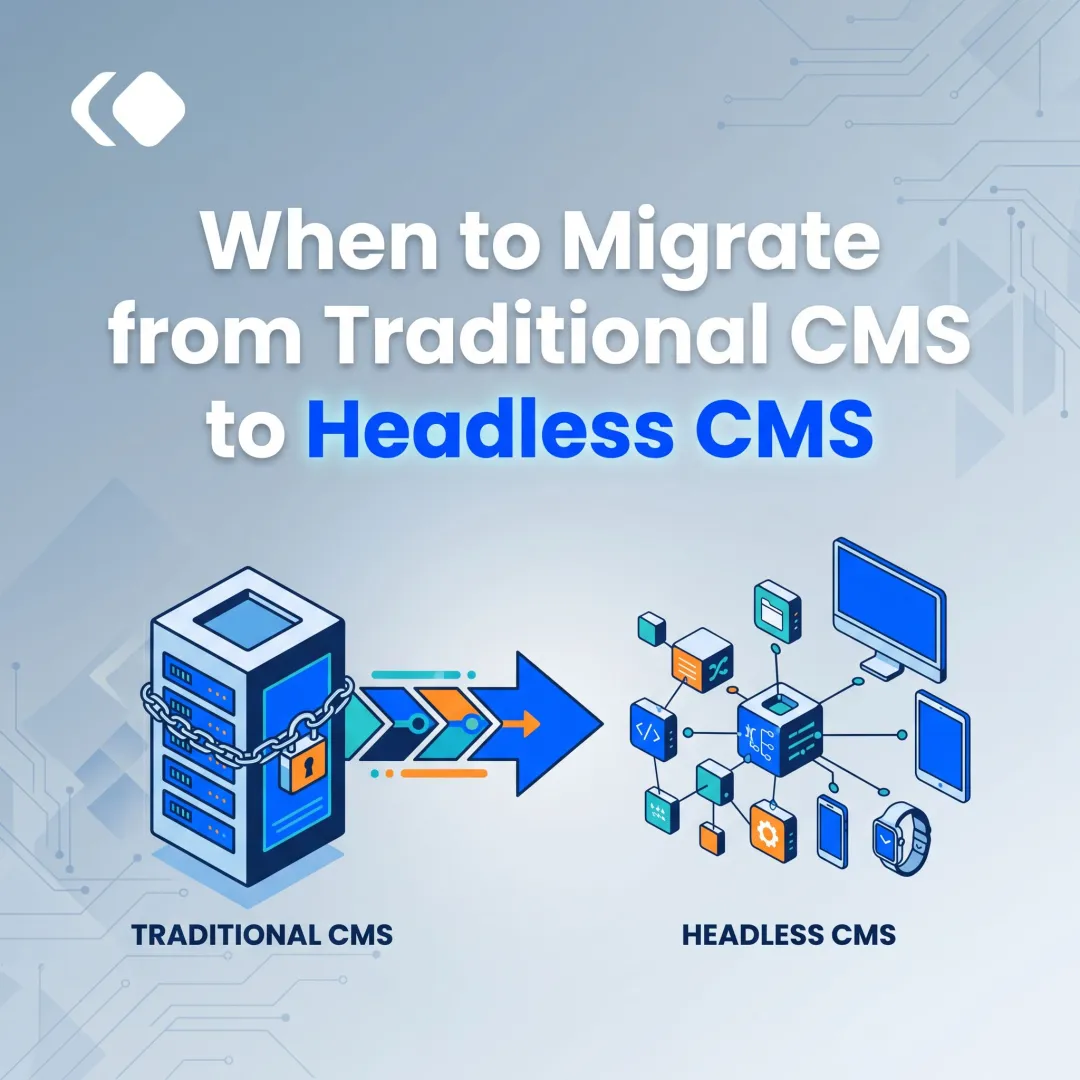
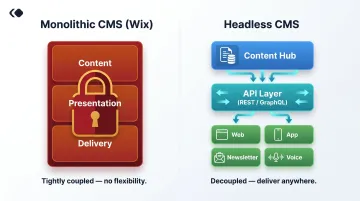
That advantage has a structural ceiling. In Wix's monolithic architecture, content and presentation are bundled together. Adding custom content types, publishing to new channels, or building advanced workflows requires workarounds that compound in complexity. As expectations shift, these limits become costly.
A site loading in 1 second converts 3x higher than one loading in 5 seconds for B2B businesses, according to Portent's analysis of 100 million page views. For e-commerce, conversion rates drop 0.3 percentage points per additional second of load time.
Channel complexity compounds the problem. More than 50% of B2C customers engage with 3 to 5 channels per purchase; B2B buyers regularly use 10+, per McKinsey's 2022 research.
Wix wasn't built for either of these demands. Its shared infrastructure and render-blocking elements hurt performance scores, while its single-channel design forces teams to recreate content manually for every new touchpoint.
5 Clear Signs You've Outgrown Wix
Your Core Web Vitals are failing
Wix's shared infrastructure and render-blocking JavaScript frequently hurt Largest Contentful Paint (LCP) and Cumulative Layout Shift (CLS) scores. If Google Search Console flags poor Core Web Vitals across multiple pages despite optimization attempts, the platform itself is the ceiling.
Core Web Vitals became a Google Search ranking signal in June 2021, measuring LCP (target under 2.5 seconds), Interaction to Next Paint (target under 200 milliseconds), and CLS (target under 0.1). While 74.86% of Wix sites pass Core Web Vitals—ranking second among CMS platforms per November 2025 HTTP Archive data—independent testing reveals inconsistencies.
A Seobility audit of a Wix Core plan site scored 32/100 on PageSpeed Insights (mobile) with a 13.9-second Speed Index, primarily due to render-blocking JavaScript.
For publishers and brands where organic traffic drives revenue, these constraints directly impact rankings and conversions.
You need to publish content beyond a website
If your team pushes the same content to a mobile app, newsletter platform, voice interface, or digital signage—and Wix requires manual recreation for each channel—you're hitting the classic monolithic CMS trap.
A headless CMS solves this with API-first content delivery. Content lives as structured data in one hub and distributes via REST or GraphQL APIs to any frontend: web, app, AMP pages, newsletters, social tools. For media companies managing content across platforms, this eliminates duplication.
Your editorial team is bottlenecked
As content teams grow, Wix becomes a bottleneck fast. The platform lacks:
- Role-based permissions beyond basic admin/editor distinctions
- Approval workflows for multi-stakeholder publishing
- Version history and rollback capability
- Structured content models to enforce field-level consistency
A headless CMS built for publishers addresses each of these. Role-based access, approval chains, version control, and structured content models—defining fields like article body, metadata, author, and tags as discrete components—let teams publish at volume without governance breaking down.
SEO growth has plateaued
Beyond Core Web Vitals, Wix restricts technical SEO flexibility in ways that compound over time:
- URL structure control is limited compared to custom implementations
- Schema markup requires workarounds rather than native support
- Client-side rendering (despite Wix's SSR claims) can delay Googlebot indexing
Google recommends server-side rendering or pre-rendering because it "makes your website faster for users and crawlers." If organic traffic has stagnated despite strong content output, the technical layer is worth examining before assuming the content is the problem.
Custom functionality requires constant workarounds
When your team stacks third-party apps on Wix, hires developers to patch together integrations that don't communicate, or hits walls building custom content types, the platform's extensibility is exhausted.
A headless CMS integrates with your stack—analytics, CRM, push notifications, AI tools—through APIs designed for extensibility, not against it.
What a Headless CMS Gives You That Wix Can't
Omnichannel content delivery from a single hub
Headless CMS stores content as structured data and delivers it via APIs to any frontend—website, mobile app, AMP pages, newsletters, social tools—without duplicating effort. 61% of content teams currently use more than one CMS, with 44% citing omnichannel support as the reason, per Storyblok's 2025 survey.
For media companies, brands, and publishers managing content across platforms, this is the core value: author once, publish everywhere.
That reach only matters, of course, if your pages load fast enough to hold the audience you've built.
True performance control
In a headless setup, the frontend is entirely in your hands. You can implement server-side rendering, static site generation, and image optimisation strategies that Wix's closed frontend simply doesn't allow.
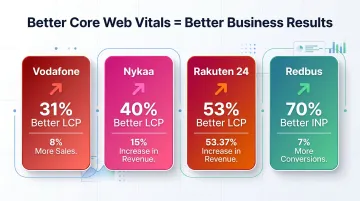
Documented case studies from web.dev show direct correlation between Core Web Vitals improvements and business outcomes:
| Company | CWV Improvement | Business Outcome |
|---|---|---|
| Vodafone | 31% better LCP | 8% more sales |
| Nykaa | 40% better LCP | 28% more organic traffic |
| Rakuten 24 | Good LCP achieved | 61% conversion rate increase |
| Redbus | CLS from 1.65 to 0 | 80-100% increase in mobile conversions |
AI-powered content operations at scale
Modern headless CMS platforms embed AI directly into editorial workflows: drafting, repurposing existing articles for new channels, and flagging SEO gaps before publish. 72% of organisations now use AI regularly, with generative AI adoption in Marketing and Sales more than doubling since 2023, per McKinsey's 2024 survey.
For growing content teams, that translates to higher output without proportional headcount growth. A team of 10 can effectively cover the ground that previously required 15.
Enterprise-grade workflow and collaboration
Headless CMS platforms support:
- Structured content models with discrete, reusable fields
- Role-based access controls for granular permissions
- Multi-author workflows with approval chains
- Version history and rollback capabilities
This infrastructure matters most when multiple editors, editors-in-chief, and compliance reviewers are touching the same content simultaneously—exactly the environment Wix wasn't built for.
Future-proof architecture
Because headless CMS decouples content from presentation, switching frontends, adding channels, or integrating new technologies doesn't require a full platform migration. A media house can move from a React frontend to Next.js, or add a mobile app channel, without touching a single piece of stored content. The work your team has already done stays intact and usable—regardless of how your tech stack evolves.
Is Wix a Headless CMS? Clearing the Confusion
Wix is not a traditional headless CMS, but it launched "Wix Headless"—an API layer letting developers use Wix's backend (e-commerce, bookings, CMS data) with custom frontends built in React, Vue, or other frameworks.
What Wix Headless offers:
- REST APIs and JavaScript SDK access to Wix's business modules—e-commerce, bookings, events, pricing plans
- Ability to share business data across multiple frontends simultaneously (website, mobile app, etc.)
- A practical option for developers who want Wix's commerce tools with a custom presentation layer
That said, it comes with real constraints:
- Your content operations, data, and business logic remain tied to Wix's platform
- You inherit Wix's infrastructure limits, pricing model, and content modelling restrictions
- It is not equivalent to a headless CMS built for content-heavy or enterprise publishing workflows
Wix Headless is best understood as a commerce and bookings API layer—not a content platform. For publishers, media houses, and brands that need structured content modelling, AI-driven workflows, and multi-channel delivery at scale, a dedicated headless CMS is the stronger long-term fit.
How to Migrate from Wix to a Headless CMS: Key Steps
Content audit and migration planning
Before touching data, map all existing content types: blog posts, landing pages, product pages, media assets. As you do, distinguish between:
- Programmatic migration candidates: structured content with consistent fields (blog posts, product pages)
- Manual rebuild candidates: complex landing pages with varied layouts and embedded design elements
The audit is also an opportunity to cut outdated content and redesign your content model before the move—not after.
SEO preservation (URL mapping and redirects)
This is the highest-risk area of any CMS migration. Google states that permanent redirects (301s) do not cause PageRank loss, but poorly executed migrations risk total traffic loss.
Critical steps:
- Document all existing Wix page URLs
- Map them to new URLs on the headless CMS
- Set up 301 redirects before launch
- Audit and migrate meta titles, descriptions, alt text, canonical tags, and structured data
- Keep redirects active for at least 1 year (indefinitely is better)
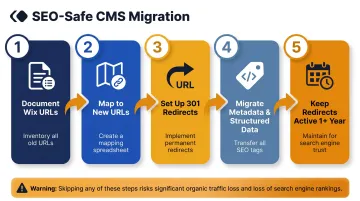
Sites that skip this step often see 30–60% organic traffic drops in the first month — and recovery can take six months or more.
Content model redesign and data transformation
A headless CMS organises content as discrete, reusable types with defined fields. Wix uses a page-based model, so the shift requires rethinking how content is structured from the ground up.
Key transformation tasks include:
- Separating article body, metadata, author, and tags into distinct fields
- Converting rich text from Wix (HTML) to the headless CMS format (typically JSON)
- Exporting and re-uploading media assets with original metadata intact
Testing, staged rollout, and post-migration monitoring
Run full functional testing before going live: verify all pages render correctly, links work, forms submit, and media loads. A phased migration — moving sections in stages rather than all at once — reduces the blast radius if something breaks.
After launch, monitor Core Web Vitals, crawl errors, and organic traffic closely. Address any SEO anomalies within 30 days. Google confirms that medium-sized sites typically take a few weeks for most pages to move in its index, while large sites can take months longer.
What to Look for in Your New Headless CMS
Prioritize platforms built for your content type and team size
For solo developers building simple sites, lightweight options like Ghost or Strapi may work. Media companies, brands, and publishers have different needs — high content volumes, multi-channel delivery, and teams that can't afford publishing delays. The right platform must support editorial workflows, structured content modeling, and reliable performance at scale.
69% of headless CMS users report improved time-to-market and productivity, per Storyblok's 2025 research. Meanwhile, 49% of users on legacy CMS platforms report it takes over 1 hour to publish content, with 14% reporting delays of a full day or more.
Key evaluation checklist
- API-first architecture: REST and GraphQL support for flexible content delivery
- Core Web Vitals performance: Built-in optimization, not an afterthought
- Built-in analytics: Integrated or seamless connections to GA4, GSC, and other tools
- Role-based access controls: Granular permissions for enterprise teams
- SEO tooling: Full control over URL structure, schema markup, and structured data
- AI-assisted content workflows: Integrated tools for generation, repurposing, and optimization
- Total cost of ownership: Not just subscription price, but also third-party tools replaced, developer hours saved, and support quality
Publive: A purpose-built option for publishers and brands
Publive is a headless CMS and digital experience platform designed for content-led growth. Built for publishers, media companies, brands, and institutions in India, it offers:
- 60% faster content output through integrated AI generation, repurposing, and optimisation tools
- 98% Core Web Vitals pass rates via Next.js SSR and multi-CDN edge delivery
- GA4 and GSC connectors with a unified Golden Signals dashboard for editorial analytics
- Single platform replacing separate hosting vendors, plugin subscriptions, and CMS tools
- Dedicated migration support for teams moving from Wix, with 99.995% uptime on AWS
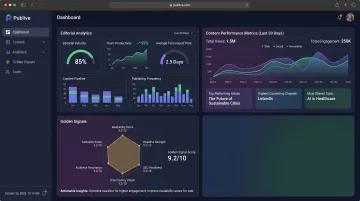
Usage-based pricing and a consolidated infrastructure typically cut total cost of ownership by around 50% compared to running separate tools — a meaningful shift for growing media teams watching margins.
Frequently Asked Questions
Can I migrate my site from Wix to a headless CMS?
Yes, migration is possible. The process involves exporting content from Wix, redesigning the content model in the new CMS, setting up 301 redirects to preserve SEO, and rebuilding the frontend. Blog posts and structured content can be migrated programmatically; complex landing pages typically need manual rebuilding.
Is Wix a headless CMS?
Wix is not a traditional headless CMS, though it offers "Wix Headless"—an API layer letting developers use Wix's backend with custom frontends. Purpose-built headless CMS platforms offer significantly more flexibility, structured content modelling, and performance control than Wix Headless, especially for content-heavy or enterprise use cases.
Can I migrate my Wix site to WordPress?
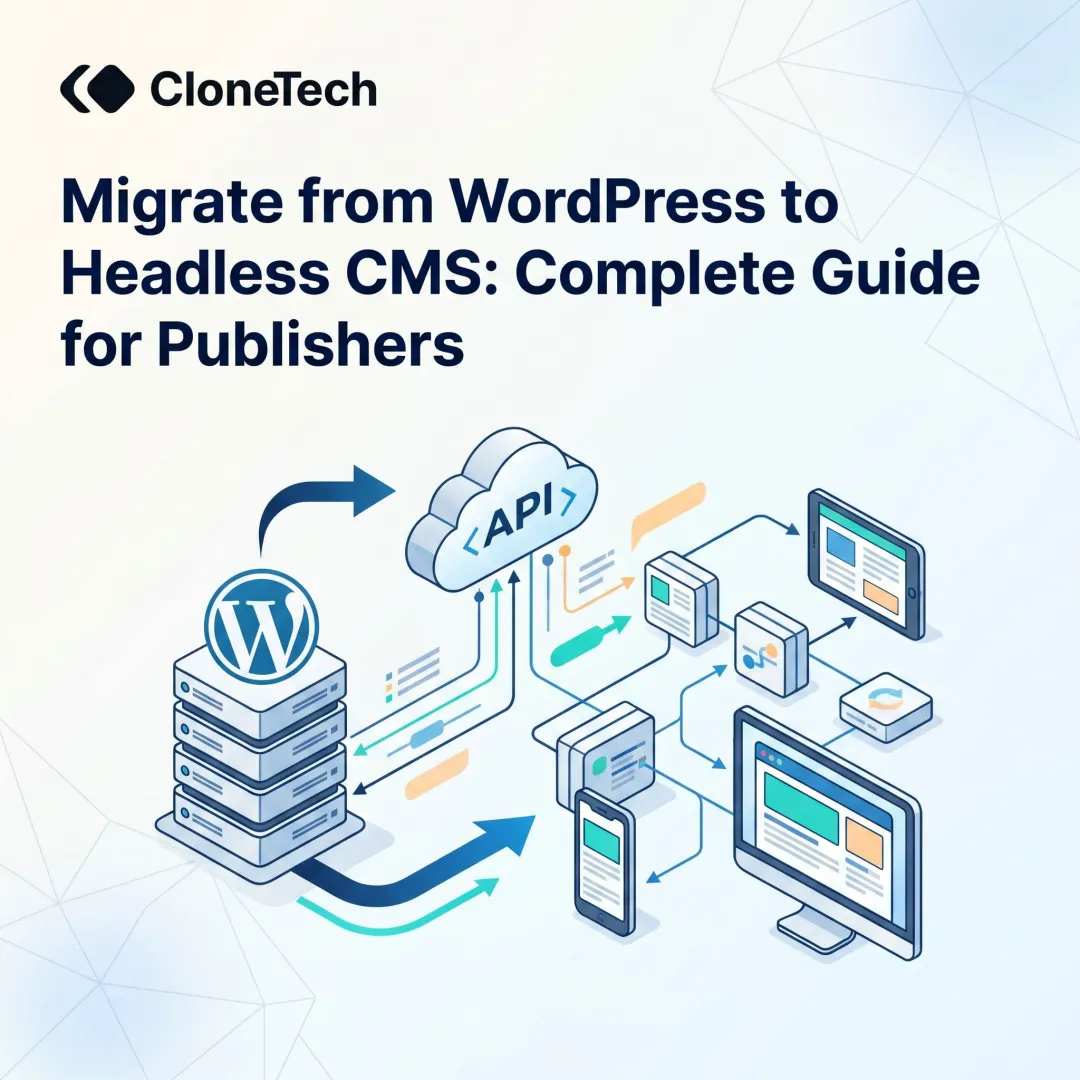
Yes, it's possible using Wix's export tools and WordPress import plugins. WordPress is a traditional (coupled) CMS with its own performance and scalability constraints — for teams needing true multi-channel delivery and API-first architecture, migrating to a headless CMS is a stronger long-term architecture.
Will migrating from Wix to a headless CMS hurt my SEO?
Migration can temporarily affect rankings if URL mapping and redirects aren't handled carefully. However, a well-executed migration—with proper 301 redirects, metadata transfer, and SEO auditing—typically results in improved rankings over time due to better Core Web Vitals performance and technical SEO control.
How long does it take to migrate from Wix to a headless CMS?
Timeline varies by site size and complexity. A small content site may migrate in a few weeks, while a large publisher with hundreds of pages and custom integrations may take 2–4 months. A phased approach, starting with structured content like blog posts, reduces risk and shortens the overall timeline.