Introduction
Decision-makers today face a crowded field when evaluating headless CMS platforms. With over 100 platforms on the market, the real risk is choosing based on brand familiarity rather than operational fit.
The stakes are real. Picking the wrong platform affects:
- Content velocity and editorial independence
- Developer overhead and integration complexity
- SEO performance and Core Web Vitals
- Total cost of ownership
For media houses, publishers, and digital-first brands, these factors directly affect revenue.
That's the gap this guide addresses — a repeatable, category-by-category framework to compare headless CMS platforms on the factors that actually drive outcomes.
TL;DR
- Headless CMS platforms decouple content from presentation, delivering via APIs to any frontend
- Platforms differ sharply on API types, content modelling, editorial workflows, performance guarantees, and AI capabilities
- A structured comparison covers six categories: content modelling, API/developer experience, editorial workflow, performance/uptime, localisation/multi-channel delivery, and analytics/SEO/AI
- How you weight each category depends on whether your team is developer-led or editor-led, and how fast your publishing volume is growing
- With the global headless CMS market at ₹14,700 crore+ in 2025 and growing at 17.5% CAGR through 2033, the number of platforms competing for your budget is only increasing — making a structured comparison more important than ever
What Makes Comparing Headless CMS Platforms Different From Other Software Decisions
Unlike most SaaS tools, a headless CMS sits at the center of your entire content stack. It impacts developer workflows, editorial productivity, site performance, and downstream integrations simultaneously. Surface-level comparisons fail here.
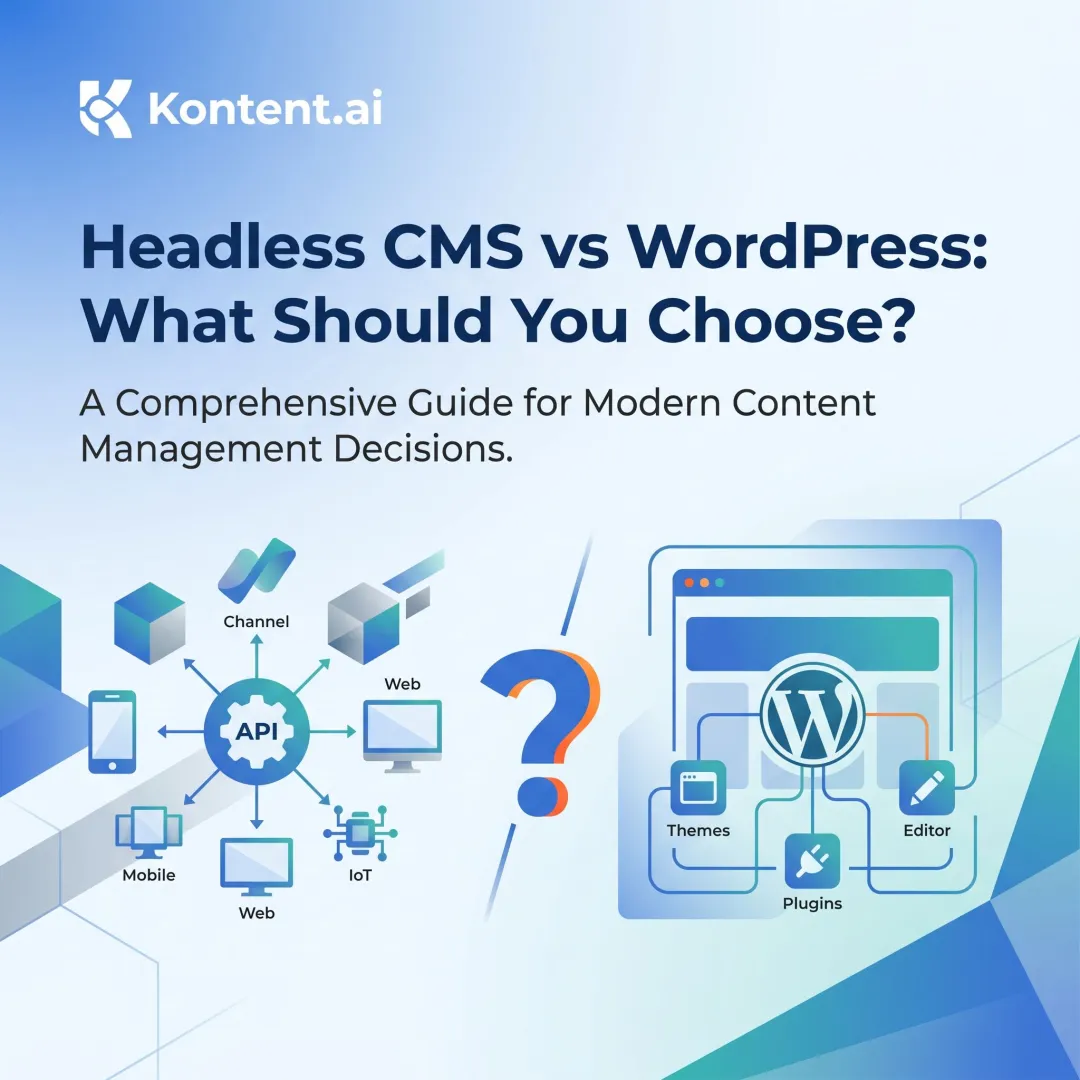
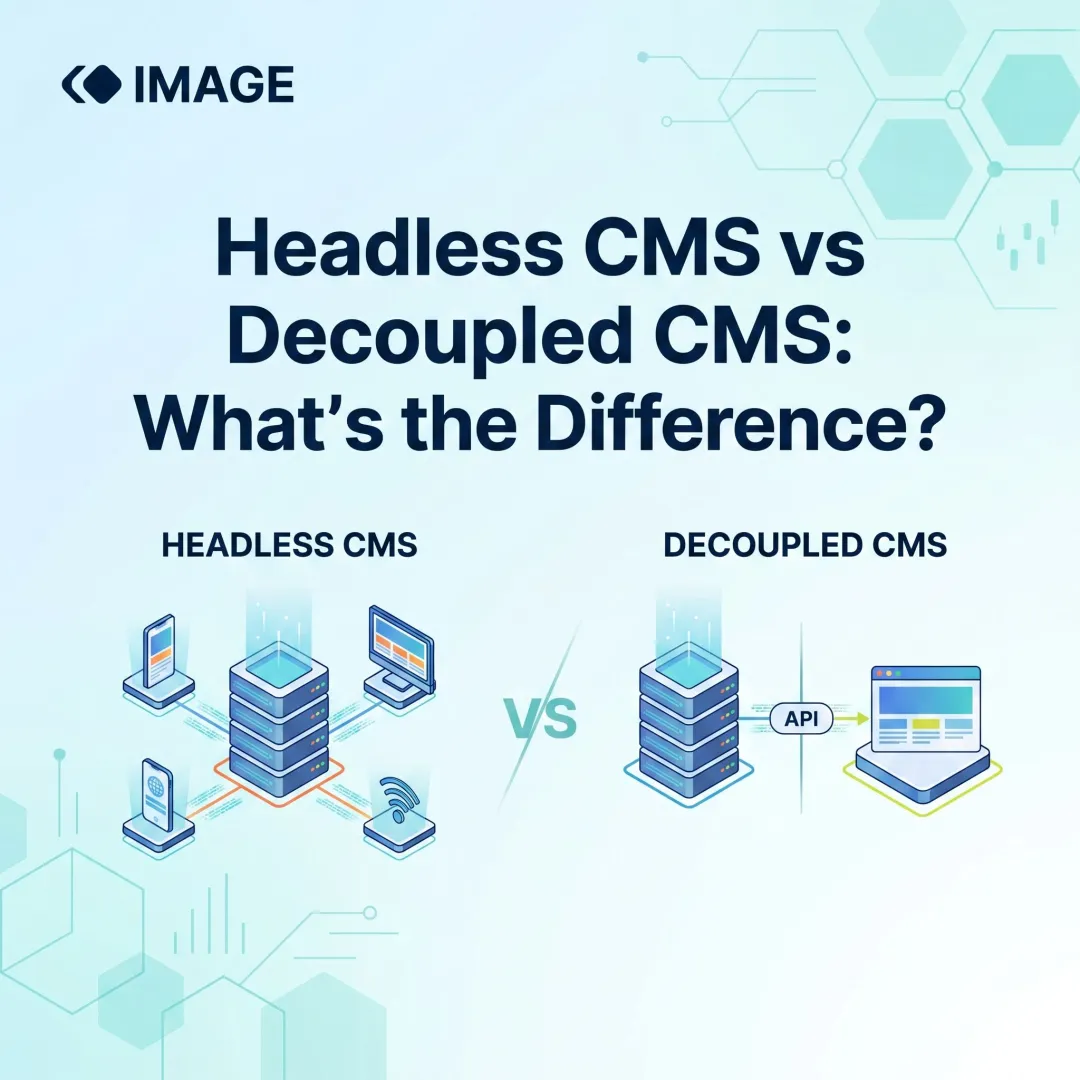
Traditional CMS platforms couple content management and presentation in one system — the frontend is built in. Headless CMS platforms store and manage content separately, delivering it via REST or GraphQL APIs to any frontend.
This decoupling matters for omnichannel publishing. Content teams can publish once and distribute to web, mobile apps, push notifications, and AI search surfaces from a single repository.
According to a 2023 survey by Kontent.ai of 1,014 content professionals, 88% of headless CMS users express satisfaction and 79% are familiar with the term — a sign the technology has moved well past early-adopter territory into mainstream enterprise use.
The real challenge: platforms all marketed as "headless CMS" differ dramatically in architecture, editorial tooling, and team fit. Knowing which dimensions to evaluate — and in what order — is what separates a confident decision from months of regret after go-live.
The Six Feature Categories Every Headless CMS Comparison Should Cover
Content Modeling and Structural Flexibility
Content modeling defines the schema and data relationships that determine how content is stored and reused. A rigid model forces teams to duplicate content across pages or channels. A flexible model enables reuse, inheritance, and structured content blocks.
Capabilities to compare:
- Nested content types — schemas that embed other schemas as components, avoiding flat, duplicated structures
- Component-level reuse — shared content blocks that update everywhere when edited once
- Schema extension and inheritance — new content types that inherit properties from existing ones, reducing setup time
- Content referencing — entries linked to other entries to build relationships across the content graph
These capabilities directly affect content production speed. Research from Paligo shows that content reuse strategies reduce creation time by 30-50%. Burberry reported an 80% increase in publishing speed after migrating to a headless CMS.
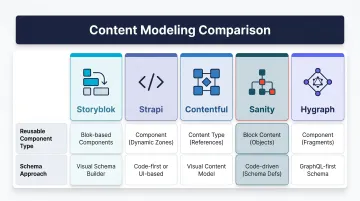
Platform comparison snapshot:
| Platform | Reusable Components | Schema Approach |
|----------|---------------------|-----------------|
| Storyblok | Nestable Blocks | Visual component-based |
| Strapi | Components, Dynamic Zones | Code-first with UI builder |
| Contentful | References, Nested Patterns | Structured content types |
| Sanity | Nested objects, references | Schema-as-code |
| Hygraph | GraphQL-native federation | GraphQL schema |
All five support component reuse, but implementation differs — from visual drag-and-drop (Storyblok) to schema-as-code (Sanity) to GraphQL-native federation (Hygraph).
API Architecture and Developer Experience
Your API choice shapes every downstream decision: how developers query content, how fast pages load, and which frontend frameworks slot in without friction.
REST vs. GraphQL:
- REST APIs are used by 85% of organisations, while GraphQL is used by only 19% (Gartner data cited by The New Stack). REST offers broad compatibility and simpler mental models. GraphQL enables precise data fetching and reduces over-fetching.
- Some platforms support both; others lock you into one. That choice has downstream implications for developer productivity and query complexity.
Additional developer criteria to compare:
- Check for official SDKs across major languages — JavaScript, Python, PHP coverage signals maturity
- Evaluate CLI tooling for scaffolding, migrations, and deployment automation
- Confirm Git-like content branching for managing drafts, approvals, and versioning as branches
- Test local development environment support before committing to a platform
- Verify CI/CD pipeline compatibility with your existing deployment workflow
Platform API comparison:
| Platform | Primary API | Secondary API | Query Language |
|---|---|---|---|
| Contentful | REST | GraphQL | CQL |
| Sanity | GROQ | GraphQL | GROQ |
| Storyblok | REST | GraphQL | — |
| Hygraph | GraphQL | REST | GraphQL |
| Strapi | REST | GraphQL (plugin) | — |
Hygraph and Sanity are query-language-native platforms, while Contentful, Storyblok, and Strapi default to REST with GraphQL available.
Editorial Workflow and Publishing Tools
The editorial workflow layer is where most CMS evaluations stall — technical teams underestimate how much non-technical users need to do without developer help.
Key capabilities:
- WYSIWYG or visual page builders
- Scheduled publishing
- Content approval workflows
- Multi-user collaboration
- Role-based access controls
When editors can publish without developer involvement, content velocity increases significantly. Kontent.ai's survey found that 76% of content professionals prefer using multiple tools of their own choice over a single-vendor suite. This suggests that headless CMS platforms must integrate well with existing editorial toolchains rather than replace them entirely.
Storyblok earned the highest-rated Headless CMS for Usability designation in G2's Spring 2026 report with 70+ G2 awards, positioning visual editing as its primary market differentiator.
Performance, Scalability, and Uptime
For media publishers, a slow API response during a breaking news spike isn't an inconvenience — it's lost traffic and lost revenue. Treat performance as a primary selection criterion, not a checkbox.
What to compare:
- Global CDN support — Does the platform distribute content across edge locations?
- API response times — What are documented average response times?
- Caching mechanisms — Does the platform support ETag headers, cache invalidation, and edge caching?
- Core Web Vitals pass rates — What percentage of sites on the platform meet Google's thresholds?
- SLA/uptime guarantees — What is the documented uptime commitment?
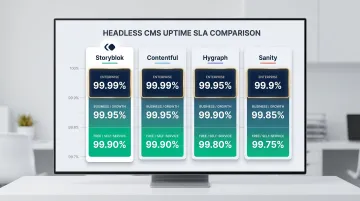
Uptime SLA comparison:
| Platform | Self-Service/Free | Business/Growth | Enterprise (Top Tier) |
|---|---|---|---|
| Storyblok | No commitment (Free), up to 97% (Paid) | Not specified | 99.9% (Premium), 99.99% (Elite) |
| Contentful | Not specified | Not specified | Up to 99.99% |
| Hygraph | Not specified | Not specified | Up to 99.95% |
| Sanity | Not specified | Not specified | >99.9% |
Storyblok and Contentful offer the highest published SLA at 99.99% on their top enterprise tiers. Hygraph's maximum of 99.95% is notably lower.
SEO and performance impact:
Google Search Central documents that structured data markup produces measurable gains:
- Rotten Tomatoes: 25% higher click-through rate on 100,000 pages with structured data
- Food Network: 35% increase in visits after converting 80% of pages to structured data
- Nestle: 82% higher click-through rate for rich result pages
Platforms that output clean structured content and schema markup provide a measurable SEO advantage. Request documented performance benchmarks rather than relying on marketing claims.
Localization and Multi-Channel Delivery
For regional publishers or multi-brand media houses, weak localisation support creates a practical ceiling — editorial teams end up managing duplicate content manually, which defeats the purpose of a structured CMS.
What to compare:
- Number of supported locales
- Automatic language fallback rules
- Locale-specific content previews
- Translation workflow integrations
According to a DeepL study cited by Weglot, 75% agree that localised content significantly increases customer engagement, and 96% observed a positive impact from localisation efforts. CSA Research found that 75% of consumers prefer to buy in their native language, and 40% won't purchase from foreign-language websites.
Multi-channel delivery:
Evaluate whether the platform can serve content to web, mobile apps, push notifications, and emerging AI search surfaces from a single content repository — and how easily it handles channel-specific formatting.
Contentful organises content into spaces with settings for localising into different languages, supporting locale-level field values natively. dotCMS, Contentful, and Contentstack are identified as platforms supporting multi-site and multilingual content delivery through APIs.
Analytics, SEO, and AI Capabilities
AI and analytics features have become the sharpest point of differentiation between platforms that look identical on a feature checklist.
What to compare:
- AI-assisted content generation and repurposing
- SEO metadata management
- GEO (Generative Engine Optimisation) readiness
- Support for structured data/schema markup
- Native analytics integrations
According to Contentful's survey of 820 professionals in April 2024:
- 75%+ have company-paid access to GenAI tools
- 38% save 1-5 hours per week; 37% save 5-10 hours per week; 11% save 10+ hours per week
- 66%+ of organisations are considering or have plans to apply an existing LLM to proprietary content or train their own LLM
Platform-specific AI features:
- Storyblok: Multi-year strategic agreement with AWS to launch "FlowMotion" for AI-powered digital content experiences
- Sanity: Offers "AI Assist" in its Growth tier at $15/seat/month
- Contentful: Positioning an "AI quality layer" as its primary market differentiator
GEO and AI search readiness:
Google Search Central states: "There are no additional requirements to appear in AI Overviews or AI Mode, nor other special optimisations necessary." Standard SEO best practices apply. However, Google notes that "clicks from search results pages with AI Overviews are higher quality (meaning, users are more likely to spend more time on the site)."
During evaluation, ask vendors specifically how their content schema supports structured data output and whether their API responses are formatted for consumption by AI answer engines — not just traditional crawlers. The two requirements overlap but are not identical.
How to Build a Comparison Framework Tailored to Your Team
Before scoring platforms against the six categories, define your comparison weights — the relative importance of each category based on team composition, publishing volume, and technical resources.
A developer-heavy team with complex infrastructure needs will weight API architecture differently than an editorial-first media brand.
Recommended scoring method:
- Create a weighted scorecard
- Assign each of the six feature categories an importance multiplier (1–3) based on internal priorities
- Score each candidate platform (1–5) per category
- Multiply score by weight to produce a total
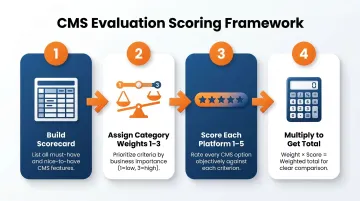
This replaces gut-feel decisions with a defensible, data-backed rationale.
Example scoring template:
| Category | Weight (1-3) | Platform A Score (1-5) | Platform A Total | Platform B Score (1-5) | Platform B Total |
|---|---|---|---|---|---|
| Content Modeling | 3 | 4 | 12 | 3 | 9 |
| API/Developer Experience | 2 | 5 | 10 | 4 | 8 |
| Editorial Workflow | 3 | 3 | 9 | 5 | 15 |
| Performance/Uptime | 3 | 4 | 12 | 4 | 12 |
| Localization/Multi-Channel | 2 | 3 | 6 | 4 | 8 |
| Analytics/SEO/AI | 2 | 4 | 8 | 3 | 6 |
| Total | — | — | 57 | — | 58 |
Hands-On Prototyping
The comparison process should include hands-on testing with at least two finalists. Specifically test:
- The editorial publishing flow (can non-technical users publish independently?)
- A developer's content query workflow (how easy is it to fetch and shape data?)
- A content migration scenario (how complex is the import process?)
Demo environments are curated and may not reflect real-world performance or workflow friction.
That friction only becomes visible once you factor in the full cost of running the platform — not just the subscription.
Total Cost of Ownership
Extend your comparison beyond subscription pricing to include:
- Implementation cost
- Infrastructure overhead (especially for self-hosted options)
- Ongoing developer maintenance
- Support tier quality
- Migration complexity
Contentstack's replatforming guide warns specifically about "cost overruns and SEO disruptions" as primary risks. The martech landscape contains 15,384 tools (Martech.org, May 2025), underscoring the tool sprawl challenge teams face when building composable stacks.
Kontent.ai's survey found that 76% of content professionals prefer using multiple best-of-breed tools over a single-vendor suite. That preference means the TCO calculation must include integration costs for a composable architecture — not just the CMS platform license itself.
How Publive Addresses These Comparison Criteria
Publive is a content management and digital experience platform built specifically for media houses, publishers, brands, and financial institutions that require high performance and editorial scale. Its architecture maps directly to the comparison criteria in this guide — without requiring custom configuration to get there.
How Publive maps to the six comparison categories:
- Performance: 98% Core Web Vitals pass rate — the highest among leading DXPs
- Reliability/SLA: 99.995% uptime on AWS infrastructure
- Editorial Workflow + AI: 60% faster content output with AI-powered generation and repurposing
- Analytics: Golden Signals Dashboard with GA4 and Google Search Console connectors
- SEO/AI: AI-powered content generation and GEO discoverability features
- Total Cost of Ownership: Consolidated platform model reduces vendor count and lowers TCO by 50%
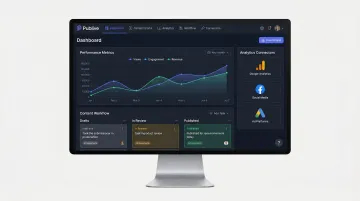
Media organisations including Indian Express, News Nation, and Sambad run on Publive. To walk through the platform against your own scorecard, request a demo or reach the team directly at +91 9582114381 or support@thepublive.com.
Conclusion
The right headless CMS is the one that fits how your team actually works — your publishing cadence, your distribution model, and where you expect to grow over the next two years. Feature count alone tells you nothing useful.
That fit also changes over time. Plan to revisit your platform evaluation every 12–18 months, particularly when any of the following shift:
- Your content team size or workflow structure changes significantly
- You add distribution channels (apps, voice, AI-powered search)
- A platform's pricing model or roadmap diverges from your direction
The features that matter most in year one rarely stay the same by year three.
Frequently Asked Questions
Frequently Asked Questions
What features should I compare between headless CMS platforms?
Compare six key categories: content modeling, API architecture (REST vs. GraphQL), editorial workflow, performance/uptime (SLA guarantees), localisation/multi-channel delivery, and analytics/SEO/AI features. Weight each category based on whether your team is developer-heavy or editorial-first.
What is the difference between a traditional CMS and a headless CMS?
A traditional CMS couples content management and presentation in one system, with the frontend built in. A headless CMS stores content separately and delivers it via APIs to any frontend. That decoupling enables teams to distribute content across web, mobile apps, push notifications, and AI search surfaces from a single repository.
Which headless CMS is most popular?
Sanity leads on user satisfaction with 4.7/5 stars from 914 reviews on G2, while Contentful leads on enterprise domain adoption with 11,214 active domains. Storyblok earned 70+ G2 awards in Spring 2026 and the highest-rated designation for Usability. Future Market Insights reports that Contentful, Kentico Kontent, Strapi, and Sanity dominate and account for approximately 50-55% of the global market. Popularity is not a reliable proxy for fit. Evaluate platforms against your team's specific workflow and technical requirements.
When should you not use a headless CMS?
Headless CMS adds unnecessary complexity for small teams without developer resources, simple brochure sites with no multi-channel needs, or organisations that need rapid out-of-the-box visual editing without custom frontend development. If your content strategy doesn't require omnichannel distribution and your editorial team lacks technical support, a traditional CMS may be a better fit.
Does a headless CMS improve SEO performance?
A headless CMS can improve SEO through faster Core Web Vitals, structured content output, and clean metadata control — but only when the platform is configured correctly and the frontend is built with performance in mind. Google Search Central data shows structured data markup drives 25-82% higher click-through rates, and Core Web Vitals are a confirmed ranking signal.
How do you evaluate a headless CMS for a media or publishing team?
Prioritise publishing-specific criteria over generic CMS benchmarks:
- Editorial publishing speed and editor independence
- Breaking news support and traffic spike resilience
- Push notification integration and multi-language capabilities
- Analytics depth (GA4, Google Search Console) and AI content tools
Request hands-on testing with realistic editorial workflows before committing.